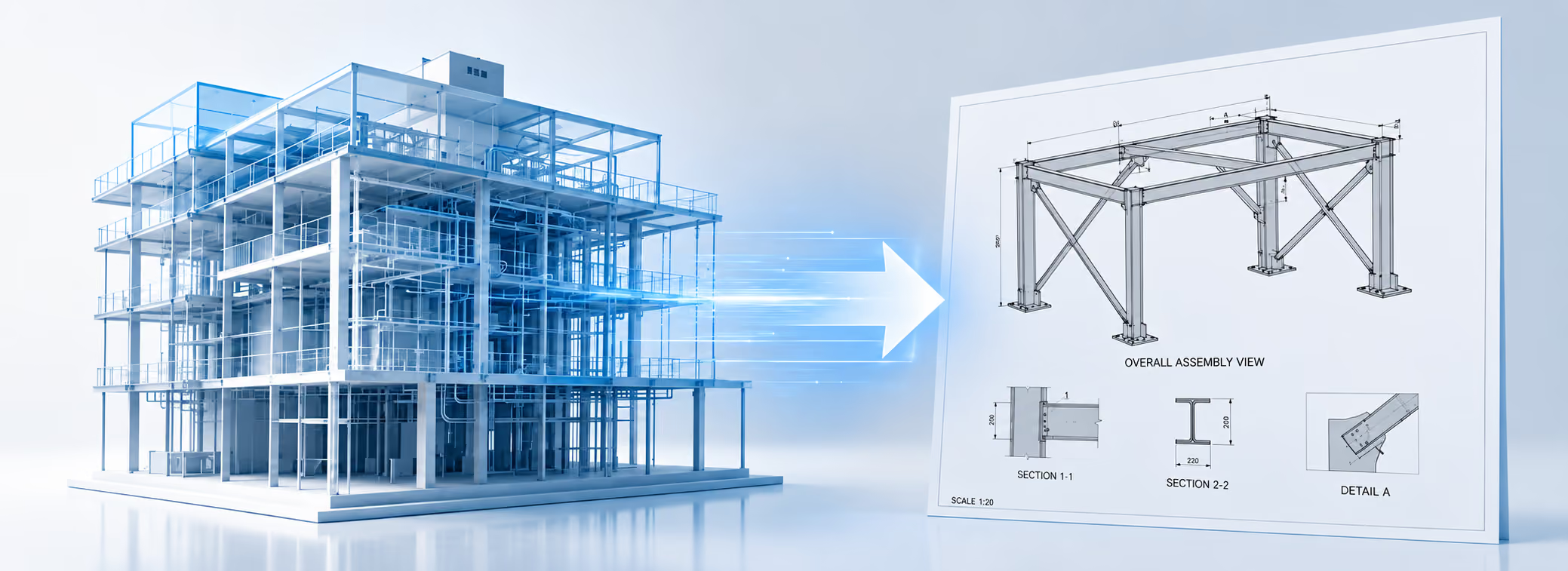
-Photoroom.avif)


Reality Capture & 3D Scanning in Construction
Learn how reality capture and 3D scanning connect field conditions with BIM, QA/QC, and layout workflows across the construction lifecycle.

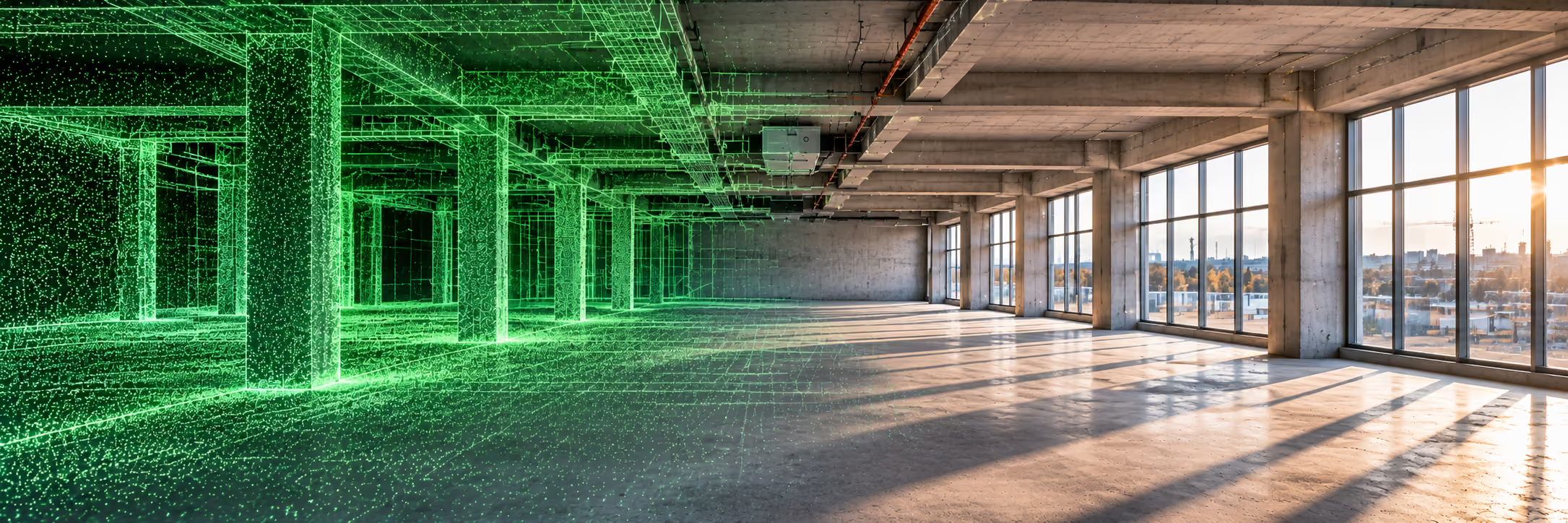
Reality capture and 3D scanning have become essential components of modern construction workflows. As projects grow in complexity and coordination requirements increase, teams can no longer rely solely on drawings, assumptions, or periodic site visits to understand what is truly happening in the field.
Reality capture provides a measurable, digital representation of physical conditions, allowing construction teams to compare what was designed with what was actually built — continuously, not just at the end of the project.
This article explores:
- What reality capture means in construction
- The main technologies used for 3D reality capture
- How point clouds, BIM, and digital twins connect
- How scanning workflows operate across the project lifecycle
- Why real-time, low-density scanning is becoming critical
- How LightYX fits into modern capture-to-construction workflows
What Is Reality Capture in Construction?
Reality capture is the process of collecting spatial and visual data from the physical world and converting it into digital information that accurately represents existing conditions.
In construction, reality capture is used to:
- Document existing conditions
- Track construction progress
- Verify installation accuracy
- Identify deviations from design
- Support QA/QC and as-built documentation
Unlike design models, which represent intent, reality capture represents ground truth.
Reality Capture vs. 3D Scanning
Reality capture is the umbrella term.3D scanning is one of its most important techniques.
Reality capture can include:
- Laser scanning (LiDAR)
- Photogrammetry
- Depth cameras
- 360° imagery
- Mobile and wearable sensors
- Low-density, task-specific scanners
3D scanning refers specifically to technologies that generate three-dimensional spatial measurements, typically in the form of point clouds or meshes.
Core Reality Capture Technologies in Construction
Modern construction projects often use multiple capture technologies simultaneously, each optimized for different accuracy, speed, and scale requirements.
1. LiDAR (Laser Scanning)
LiDAR (Light Detection and Ranging) is the backbone of high-accuracy reality capture in construction.
How LiDAR Works
LiDAR scanners emit laser pulses and measure the time it takes for the light to return after hitting a surface. Each returned pulse becomes a 3D point with precise X, Y, and Z coordinates.
Over millions of measurements, this creates a dense point cloud representing the geometry of the site.
Types of LiDAR Scanners
Phase-Based Laser Scanners
Phase-based scanners measure the phase shift of a continuous laser wave.
Characteristics
- Extremely fast data capture
- Very high point density
- Ideal for interior spaces
Trade-offs
- Shorter effective range
- Sensitive to reflective surfaces
Commonly used for:
- Interior MEP coordination
- As-built documentation
- Retrofit projects
Time-of-Flight (ToF) Laser Scanners
ToF scanners measure the time delay between emitted and returned laser pulses.
Characteristics
- Longer range
- Suitable for large spaces and exteriors
- Slightly lower point density than phase-based
Used for:
- Large commercial buildings
- Industrial sites
- Infrastructure projects
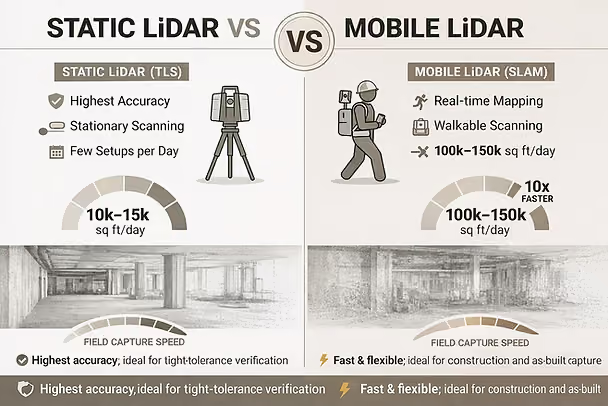
Static vs Mobile Lidar Scanners
Static LiDAR (TLS) prioritizes accuracy through stationary, tripod-based scans, producing clean, low-noise point clouds ideal for high-precision modeling and verification. Mobile LiDAR (SLAM) trades some geometric purity for speed, enabling rapid walk-through capture of large areas and significantly reducing time spent in the field. The optimal choice depends on whether accuracy or capture efficiency is the primary driver.
Industry Examples
- FARO
- Leica Geosystems
- Trimble
These systems deliver extremely accurate data — but at the cost of heavy processing and delayed feedback.
2. Photogrammetry (2D & 3D Cameras)
Photogrammetry reconstructs 3D geometry from overlapping images captured by standard or specialized cameras.
How Photogrammetry Works
- Hundreds or thousands of photos are captured
- Software identifies shared visual features
- Geometry is reconstructed via triangulation
Photogrammetry can generate:
- Point clouds
- Mesh models
- Textured 3D environments
Stereo Cameras
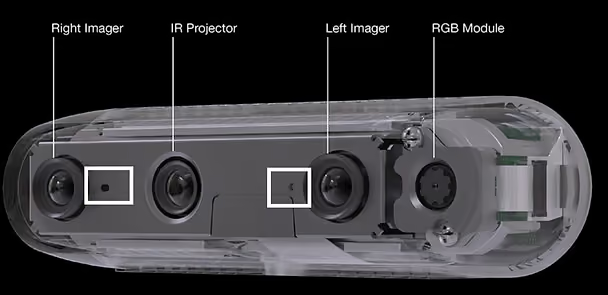
Stereo camera systems use two or more lenses separated by a known baseline to calculate depth through triangulation, closely mimicking human vision.
Advantages
- Real-time depth estimation
- Lower hardware cost compared to LiDAR
- Compact and lightweight, ideal for mobile, robotic, and handheld platforms
- Passive operation (no laser emission required)
Limitations
- Accuracy decreases with distance due to fixed baseline geometry
- Highly dependent on ambient lighting
- Struggles with low-texture or repetitive surfaces (smooth concrete, drywall, painted walls)
Active Stereo (Enhancement to Passive Stereo)
Active stereo systems augment traditional stereo cameras by projecting a structured light or infrared dot pattern into the scene. This artificial texture dramatically improves depth calculation in challenging environments.
How Active Stereo Solves Key Limitations
- Works in low-light or no-light conditions by supplying its own illumination
- Improves depth accuracy on texture-poor surfaces such as concrete slabs, drywall, and ceilings
- Stabilizes depth estimation in visually repetitive or monochromatic environments
- Maintains real-time performance suitable for field and robotic applications
Trade-offs
- Reduced effectiveness in bright sunlight (outdoor IR interference)
- Shorter optimal range compared to LiDAR
- Sensitive to strong reflective or transparent surfaces
3. Depth & RGB Camera (RGB-D)
These sensors combine traditional imagery with depth information using structured light or time-of-flight methods.
Common in:
- Mobile devices
- Tablets
- Handheld scanners
- AR/VR systems
Strengths
- Fast
- Portable
- Easy to use
Limitations
- Short range
- Lower accuracy
- Limited scalability
They are useful for localized checks, not full-site documentation.
4. Mobile and Handheld Scanning Systems
Mobile scanning systems allow operators to walk through a space while continuously collecting spatial data.
Advantages
- Faster capture
- Minimal setup
- Ideal for interiors
Challenges
- Drift over long distances
- Reduced absolute accuracy
- Requires post-processing correction
From Capture to Intelligence: Point Clouds Explained
Most reality-capture technologies ultimately generate point clouds.
A point cloud is a dataset containing millions (or billions) of points, each representing a precise location in space.
What Point Clouds Are Used For
- As-built documentation
- Clash detection
- Scan-to-BIM modeling
- Retrofit planning
- QA/QC verification
The Practical Challenge
Point clouds are:
- Heavy
- Complex
- Difficult to interpret in the field
This is where workflows — not just tools — determine success.
The Capture-to-Construction (Scan-to-BIM) Workflow
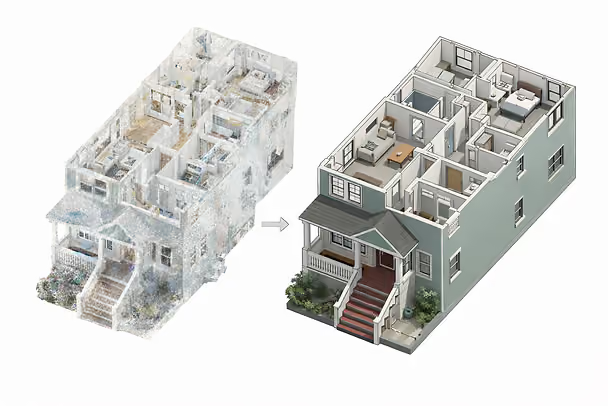
Modern construction projects increasingly follow a continuous capture-to-construction loop, often referred to as Scan-to-BIM.
This workflow bridges the gap between the field and the office.
1. Planning and Preparation
Before scanning begins, teams define why they are capturing data.
Typical objectives include:
- Existing conditions documentation (LOD 200)
- Coordination and clash detection
- Progress monitoring
- QA/QC verification
Technology selection follows:
- Terrestrial laser scanning for interior precision
- Drone photogrammetry for large exterior sites
- Mobile scanning for fast interior capture
Control points are established to ensure all scans align within a shared coordinate system.
2. Data Acquisition (Capture)
Field teams perform scanning at key milestones:
- Existing conditions
- Pre-pour
- Pre-drywall
- Post-installation
Best practices include:
- Consistent scan paths
- Adequate overlap
- Avoiding moving objects when possible
At this stage, millions of measurements are collected — but no decisions are made yet.
3. Processing and Registration
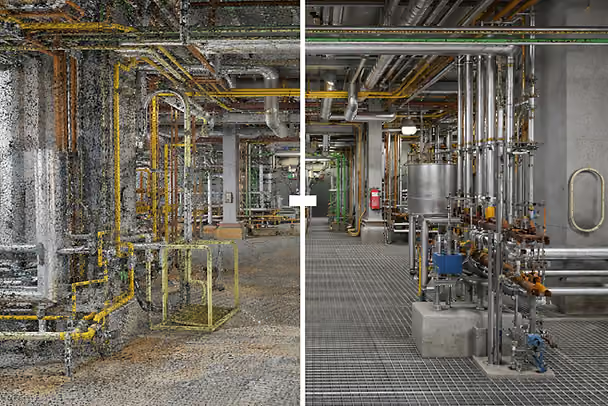
Captured data is transferred to specialized software for:
- Registration (aligning scans)
- Noise removal
- Filtering
- Compression
Tools such as Autodesk ReCap, Cintoo, and cloud platforms are commonly used.
This stage often becomes a bottleneck, separating field reality from actionable insight.
4. BIM Integration and Analysis
Processed scans are overlaid with BIM or CAD models.
This enables:
- Scan-to-BIM modeling
- Clash detection
- Progress validation
- Dimensional verification
Architects, engineers, and VDC teams analyze discrepancies and issue feedback to the field.
5. Field Visualization and Verification
The final step is returning insight to the jobsite.
This may include:
- Mobile viewers
- AR overlays
- Markups
- Reports
At this point, teams verify work and close the loop — often days or weeks after installation.
The Problem with Traditional Scanning Workflows
While powerful, traditional workflows suffer from:
- Delayed feedback
- Office dependency
- High processing overhead
- Limited field usability
This creates a gap between capture and correction.
Real-Time, Low-Density Reality Capture: A Field-First Shift
Many construction decisions do not require millimeter-perfect, ultra-dense scans.
They require:
- Fast feedback
- Tolerance checks
- Visual confirmation
- Immediate action
This has driven the rise of low-density, real-time scanning tools.
LightYX as a Real-Time Reality Capture Tool
LightYX represents a different philosophy of reality capture.
Instead of capturing everything for later processing, LightYX focuses on:
- Real-Time, on-site results
- Construction-grade accuracy
- Integration with layout workflows
What Makes LightYX Different
- No office processing
- Results available instantly
- Designed for field crews
- Optimized for construction tolerances
LightYX captures enough spatial data to:
- Detect as-built vs design discrepancies
- Verify layout readiness
- Validate installation accuracy
Reality Capture Before Layout
Before layout begins, LightYX scanning can:
- Detect slab deviations
- Identify misaligned embeds
- Validate reference geometry
This prevents layout errors before they happen.
Reality Capture After Installation (QA/QC)
After installation, scanning enables:
- Immediate verification
- On-site correction
- Faster approvals
Instead of waiting for reports, crews act while still mobilized.
High-Density vs Low-Density: Complementary, Not Competing
High-density scanners remain essential for:
- Final as-built documentation
- Legal records
- Large infrastructure projects
LightYX complements these tools by:
- Accelerating daily decisions
- Reducing rework
- Shifting verification into the field
Conclusion: From Documentation to Action
Reality capture and 3D scanning are evolving from documentation tools into decision-making systems.
The future of construction reality capture is:
- Faster
- More integrated
- More field-centric
By combining high-density scanning with real-time tools like LightYX, construction teams gain both precision and speed — turning reality capture into a true execution layer.Explore how LightYX transforms layout accuracy for general contractors
.avif)