-Photoroom.avif)


Why Automate Your Construction Layout?
Learn where manual construction layout loses time and accuracy, and how automated, model-driven layout improves speed, coordination, and field execution.

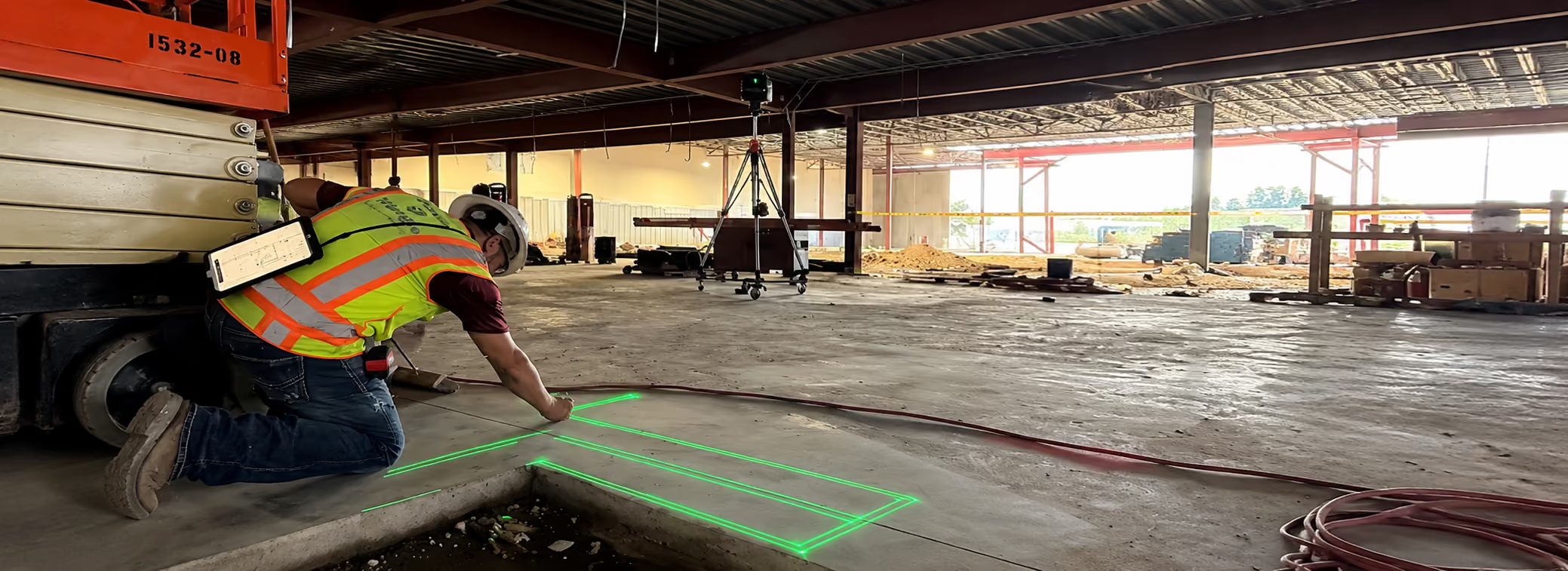
Automated construction layout is becoming one of the fastest-growing trends in the building industry. Construction managers, project executives, superintendents, and VDC leaders are increasingly moving away from manual layout and adopting digital or robotic layout tools.
This article explains why automated layout matters, how it improves project outcomes, what tools exist, and why LightYX offers capabilities beyond layout alone.
1. What Is Automated Construction Layout?
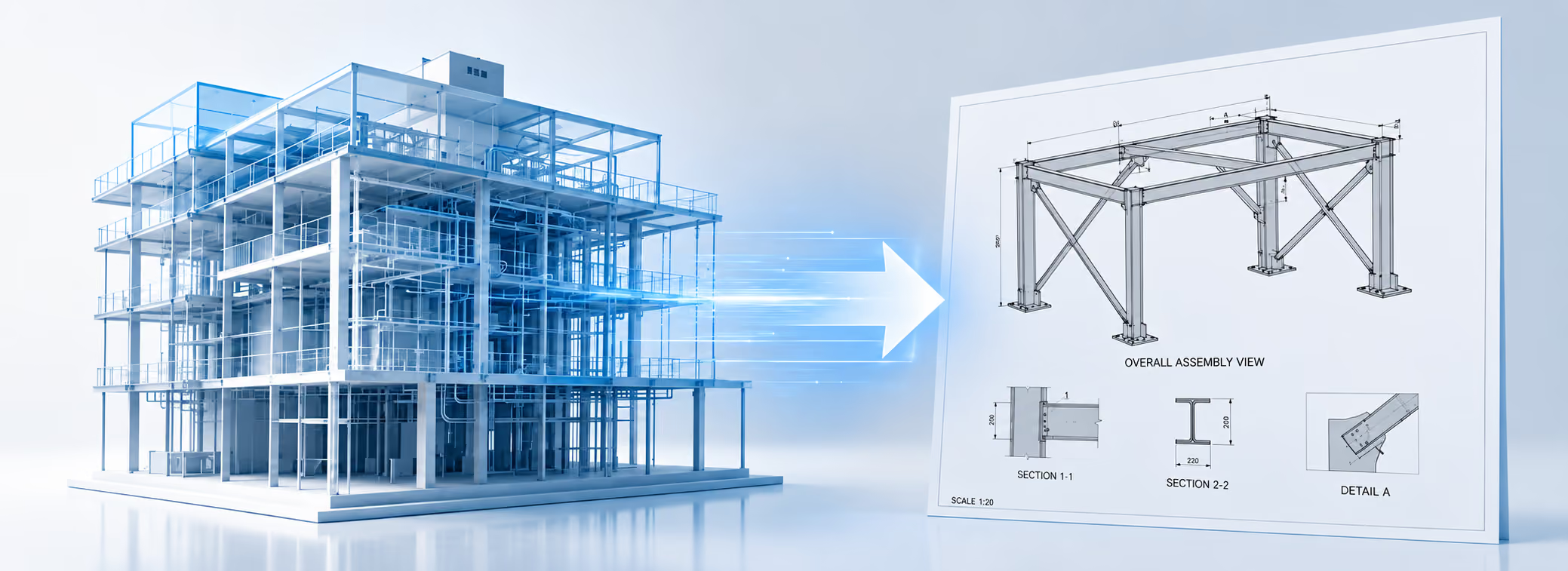
Automated construction layout refers to technology that transfers BIM or CAD drawings directly to the jobsite with high accuracy and very little manual measuring.
Instead of relying on paper drawings, tape measures, chalk lines, plumb lasers, and manual point pulling, automated systems use digital guidance tools that make layout faster, clearer, and far more consistent.
Common types of automated layout technologies include:
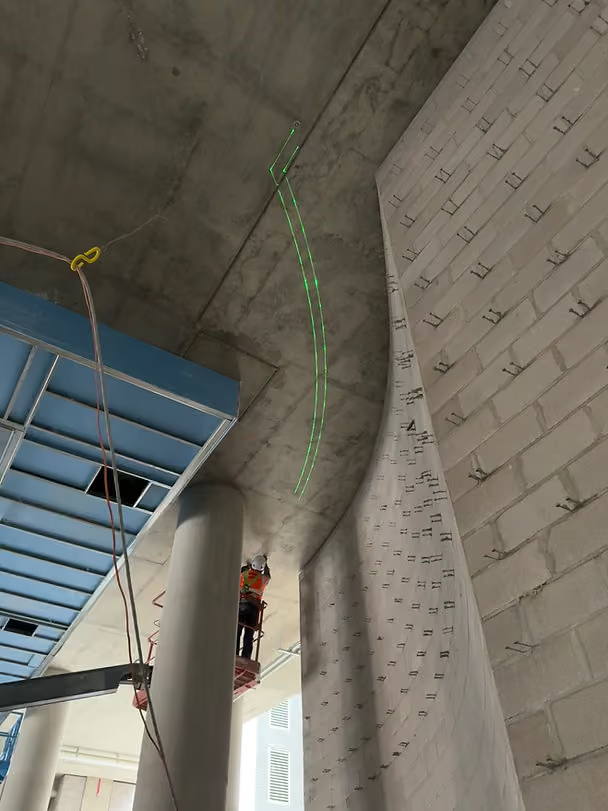
- Laser projection (LightYX) – projects full-scale laser lines, points, and shapes directly onto floors, ceilings, and walls.
- Autonomous printing robots (HP SitePrint, Dusty Robotics) – print full-scale layout lines and symbols on the slab.
- Robotic total stations (Trimble RTS) – guide point-by-point layout using model coordinates.
These tools mark, project, or guide full-scale layout directly from the coordinated BIM model to the field, reducing human interpretation and eliminating many of the errors caused by traditional layout methods.
Key idea:
Automated layout ensures the work installed onsite matches the design intent in the BIM model—accurately, consistently, and at a fraction of the time.
2. Why Traditional Manual Layout Causes Problems
Manual layout relies heavily on human interpretation of drawings, which introduces variation, inconsistency, and avoidable risk. Even highly skilled layout crews struggle to maintain accuracy when working across large areas, complex shapes, changing conditions, and multiple trades.
Common problems with manual layout include:
- Misreading or misinterpreting drawings
- Missing or incomplete information on the plans
- Measurement errors when pulling tape or marking points
- Using outdated drawings because revisions did not reach the field
- Mismatch between the drawing and the real jobsite, making manual adaptation difficult
- Poor coordination between trades, resulting in conflicting layouts
- Slow workflow, including rechecking, remarking, and repeating layout
These small inaccuracies compound quickly and create major downstream issues for framing, drywall, MEP installations, ceilings, inspections, and overall project flow.
The result is a slow, error-prone process that can create meaningful problems later in the project.
What could full-scale laser projection do for your next project?
Let’s find out3. Benefits of Automating Your Construction Layout
3.1 Faster Layout (Often 4–10× Faster)
Automated layout dramatically speeds up production. A single operator can complete layout for large areas in hours instead of days.
Benefits for construction management:
- Shortened schedules
- Faster starts for framing and MEP
- Less trade stacking
- Better flow on site
- Reduced labor dependency
3.2 Higher Accuracy and Fewer Mistakes
Automated layout prints or laser-projects the layout directly from the digital model, using the BIM or CAD file as the single source of truth. This removes manual interpretation and ensures every mark, line, and point is placed exactly where the design intends.
By relying on the coordinated model, automated layout significantly reduces:
- Installation errors
- Clashes and conflicts between trades
- Rework caused by inaccurate or inconsistent layout
Accurate, model-driven layout reduces risk across every phase of the project—framing, drywall, MEP, ceilings, inspections, and final turnover.
3.3 Better Multi-Trade Coordination
Automated tools can layout walls, ceilings, MEP, and penetrations in a unified, model-driven workflow. This results in:
- Fewer coordination conflicts
- Less rework between trades
- Smoother inspections
- Better alignment with VDC/BIM
- More reliable installations
4. The Impact of Rework
Rework is one of the biggest hidden costs in construction. Research shows:
- Rework costs the U.S. industry over $150 billion per year
- It consumes 7%–20% of project costs
- Up to 30% of work performed onsite is rework
- Rework causes major schedule delays and extended closeout
- It severely impacts client satisfaction and reputation
Why this matters: A substantial portion of rework originates from incorrect or inconsistent layout. Automating layout is one of the most effective ways to eliminate layout-driven rework and protect project profitability.
5. Examples of Automated Layout Solutions
Below are leading technologies used today in automated construction layout.
5.1 LightYX BeamerOne™ — Automated Layout + 3D Scanning + Real-Time Design Updates
LightYX is the most advanced multi-capability system in this category. It projects full-scale laser layouts directly from BIM designs onto floors, ceilings, and walls. But unlike other tools, LightYX also includes:
✔ Built-in 3D scanning
Captures as-built conditions during layout for immediate verification.
✔ Automatic design-change alignment
If the model changes, LightYX updates layout instantly based on the new design.
✔ Multi-trade support
Framing, drywall, ceilings, soffits, MEP hangers, penetrations, equipment points, and complex shapes.
✔ Fast workflow
Cuts layout time by up to 80% while improving accuracy.
LightYX gives managers not just layout automation, but automated verification, greatly reducing the potential for errors and rework.
5.2 Dusty Robotics – Field Printer
Dusty’s Field Printer robot prints BIM-driven layout lines onto the floor. Useful for multi-trade coordination on large open slabs.
5.3 HP SitePrint – Autonomous Layout Printer
Similar to Dusty, HP SitePrint prints layout lines and symbols directly from BIM.
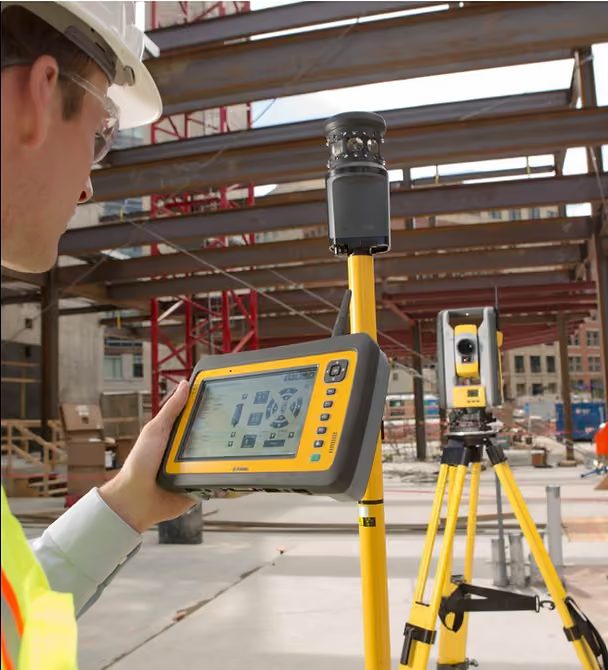
5.4 Trimble or Hilti Robotic Total Stations
Trimble RTS devices are widely used for point-by-point digital layout. Ideal outdoors or for structural anchor and control point layout. Slower than projection/printing tools but highly precise.
6. Labor Optimization and Safety Benefits
Automated layout reduces physical strain caused by bending, kneeling, and pulling tape over long distances. It also reduces the need for senior layout specialists. This helps:
- Address labor shortages
- Reduce injury risk
- Improve workforce efficiency
- Allow crews to focus on installation, not layout
Your layout doesn’t stop at the floor. Project onto walls and ceilings, and adapt to as-built conditions.
Let’s talk about your project7. Digital Traceability, QA/QC, and Version Control
Automated layout tools produce clean digital workflows:
- Version-controlled layout
- Accurate as-built documentation
- Fast adaptation to model changes
- Better communication between office and field
- Consistent QA/QC process
LightYX enhances this further with live 3D scanning and instant design verification, giving managers full control over layout quality.
Conclusion: Why You Should Automate Your Construction Layout
Automated construction layout directly improves:
- Speed
- Accuracy
- Coordination
- Safety
- Labor efficiency
- Project profitability
For construction management teams facing tight schedules, complex designs, and high labor costs, automated layout is no longer optional—it’s a practical tool that reduces risk and strengthens performance.
With the ability to layout, scan, and verify in the same workflow, LightYX offers a next-generation solution that goes beyond automation and brings true digital control to the field.
.avif)