-Photoroom.avif)


Commercial Framing Layout: Metal Stud Walls, Tracks, Openings and Radius Walls
A practical guide to commercial drywall framing layout, covering metal stud walls, tracks, openings, radius walls and BIM-to-field execution.

Commercial framing layout looks simpleafter the lines are on the floor. Getting those lines in the right place isanother matter.
Before the first piece of track isinstalled, someone has to translate a coordinated drawing into physicallocations on a real building slab. That means establishing control,interpreting dimensions, laying out walls and openings, checking alignment, dealingwith columns and existing conditions, and making sure the layout still workswith what has actually been built.
For experienced layout crews, this isfamiliar work. It is also one of the most important steps in metal studframing. A mistake made during metal stud framing layout can follow the projectthrough framing, doors, ceilings, finishes and MEP installation.
Digital layout tools are beginning to changethis workflow—not by changing what needs to be built, but by changing how theinformation reaches the crew.
Framing Layout Starts With Control, Not With the Wall
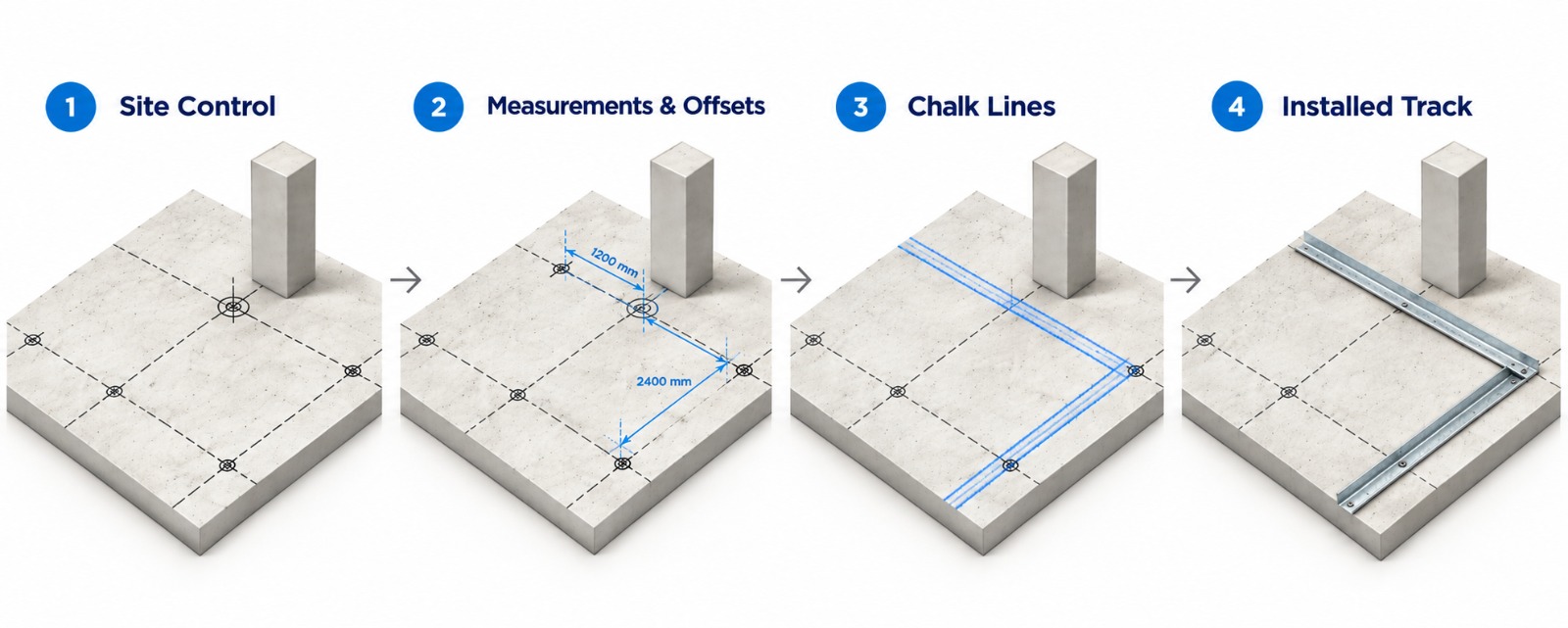
On a typical commercial project, walllayout starts from known site control: survey control points, structural gridlines, benchmarks or previously established reference lines.
From there, the layout crew beginstransferring the drawing onto the slab. A traditional workflow may involvedrawings or a tablet, tape measures, lasers, chalk lines, markers and a greatdeal of checking. The crew establishes a reference, measures to the next wall,calculates offsets, identifies wall thickness and snaps the lines that willeventually guide the track layout.
Then they keep moving: room by room,corridor by corridor, grid line by grid line.
The important part is not simply measuringa distance correctly. The crew also has to continually confirm that theaccumulating layout remains tied to building control. A crew can accuratelymeasure 12 feet from the previous wall and still end up in the wrong locationif the previous wall was already offset. Experienced layout professionalstherefore continually return to known control instead of blindly chainingdimensions across the building.
This is one reason framing layout isskilled work. The person performing it is not simply operating a tape measure.They are constantly interpreting the relationship between the drawing and thephysical building.
What Actually Has to Be Laid Out?
Commercial framing layout involves muchmore than drawing partition lines. Depending on the project, the crew may needto communicate bottom track locations, wall thickness and wall type, interiorand exterior faces of walls, door openings and rough opening dimensions, windowopenings, backing and blocking locations, fire-rated or acoustical wallinformation, angled walls and offsets, radius walls, soffit locations, ceilingreferences, special architectural conditions and coordination information forother trades.
The layout therefore has two jobs. Thefirst is geometric: where does the wall go? The second is informational: whatexactly is supposed to be built here?
Traditional chalk lines are very good atshowing a line. They are less effective at carrying all the informationassociated with that line. As projects become more detailed, crews often moveback and forth between floor markings, drawings, tablets and field instructionsto understand what each location represents.
That is one area where digital layout canprovide a significant change.
The Real Challenge Is Translating the Drawing to theBuilding
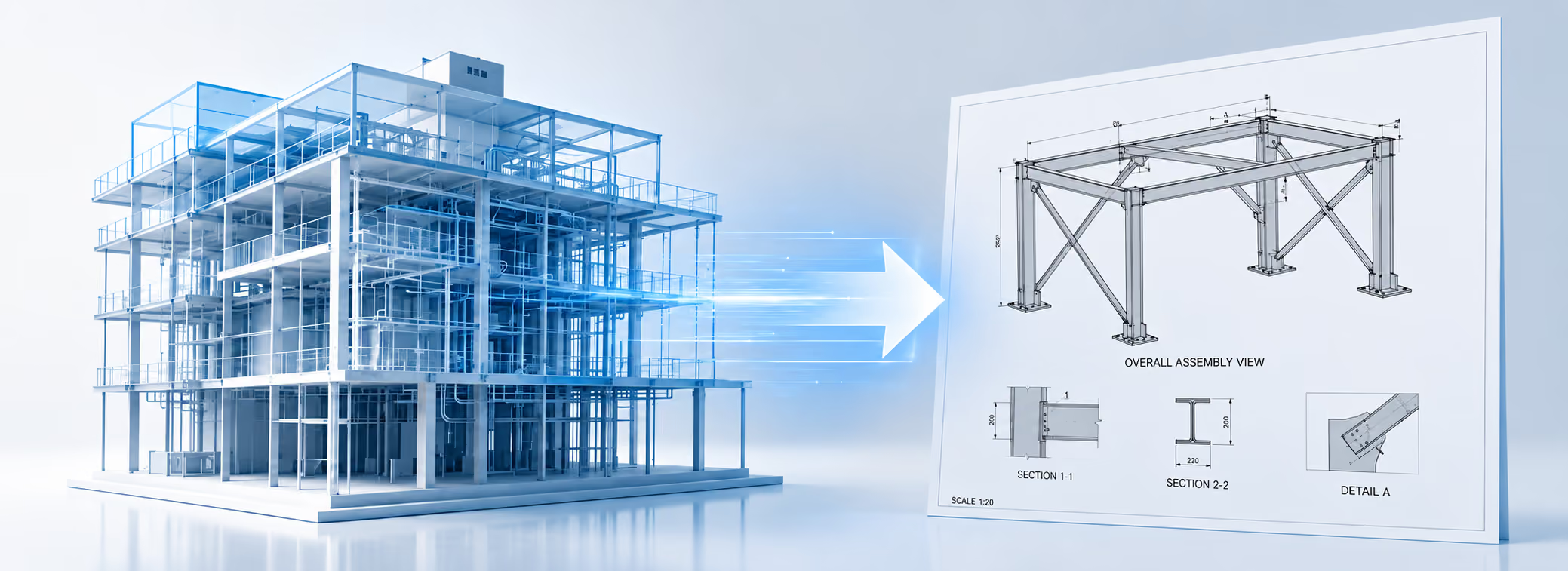
Modern construction projects alreadycontain a tremendous amount of digital information. Architectural models definepartitions. Shop drawings contain framing geometry.Coordination models identify MEP conflicts. Door schedules define openings. VDCteams spend significant effort coordinating the building before installationbegins.
Yet at some point, all that digitalprecision has traditionally been reduced to someone standing on the slab with adrawing and measuring where the next line should go. That is the BIM-to-fieldgap.
Digital layout changes this part of theprocess by using the coordinated drawing itself as the source for fieldpositioning. Instead of repeatedly reading dimensions and recreating geometryby hand, the layout system references the digital file, aligns it to jobsitecontrol and transfers that geometry to its intended physical location.
Different technologies accomplish thisdifferently. Robotic total stations typically guide an operator to individualpoints. Robotic layout systems can print lines and information onto the floor.Laser projection systems can display full-scale digital geometry directly ontofloors or ceilings.
The technologies are different, but theobjective is similar: reduce the manual translation between the digital designand field execution.
A Digital Metal Stud Framing Layout Workflow
A digital workflow does not eliminatejobsite control. In fact, good control becomes even more important. Thedifference is what happens after control is established.
A typical workflow can look like this:
1. Start with the coordinated CAD,DWG or BIM-derived layout file.
2. Establish or identify therequired control points or grid references on site.
3. Align the digital layout systemto those controls.
4. Display, project, print orstake the required layout geometry.
5. Mark or install the track usingthe digital information.
6. Move to the next work area andre-establish position from known control.
7. Update the layout when approveddrawing changes occur.
The biggest change is in the fieldtransfer. Instead of reconstructing every line from dimensions, the crew seesthe geometry where it belongs. For metal stud framing layout, that can meanseeing the two track lines, door opening, wall type, offset or curved geometrytogether rather than calculating each component independently.
Door Openings Show Why Layout Is More Than Measuring
For a drywall contractor, a corridor with ten door openings illustrates whyframing layout is more than simply measuring dimensions.
Manually, the layout crew may establish thewall, locate each opening from dimensions, account for the required roughopening, identify the correct door and then continue the track on the oppositeside.
None of those tasks is particularlydifficult individually. The difficulty comes from repeating them hundreds oftimes while maintaining alignment to the building, working from the correctrevision and dealing with conditions that may not perfectly match the drawings.
A column may be slightly different from itsexpected location. A concrete wall may have shifted. An embedded item mayinterfere with the planned track. Another trade may already occupy part of thespace. The field is never as clean as the CAD file.
Good digital layout therefore should notremove the experienced installer from the process. It should remove as muchrepetitive measuring and geometric translation as possible so that theinstaller can focus on the decisions that actually require field experience.
Radius Walls Are a Perfect Digital Layout Example
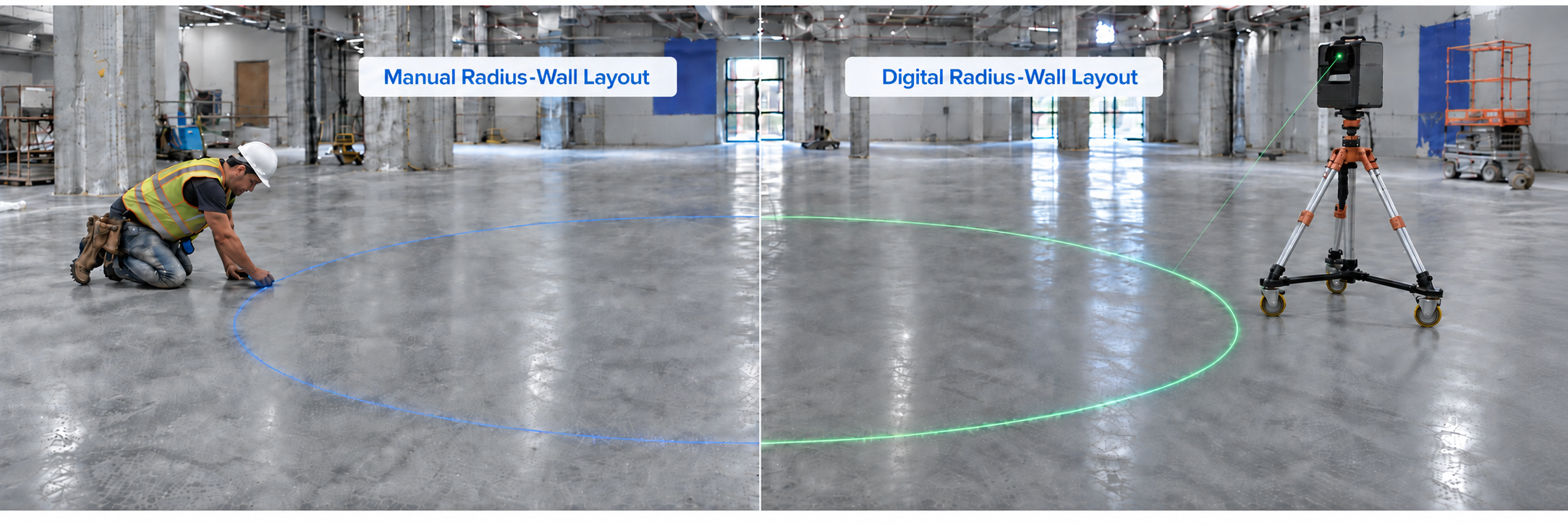
Few framing conditions demonstrate thedifference between manual and digital layout better than a radius wall.
A straight wall can be established from twopoints. A curve cannot. Traditional radius-wall layout may require establishingthe center of the radius, pulling an arc, calculating a series of points oroffsets, or using templates depending on the geometry and site conditions.Compound curves and architectural features add even more work.
With digital layout, the curve alreadyexists in the drawing. A full-scale projected or printed layout can reproducethat geometry directly on the slab, giving the installer a continuous referencefor the track rather than a collection of individually calculated points.
The more complex the geometry becomes, themore valuable it is to transfer the geometry directly rather than reconstructit manually.
The Jobsite Still Has to Deal With As-Built Conditions
One misconception about digitalconstruction is that the model automatically becomes reality. It does not.
Buildings move through multiple stages ofconstruction, and actual conditions can differ from coordinated designinformation. That means drywall and framing layout still need a process forhandling as-built conditions.
Suppose a partition is designed to maintaina specific relationship with a structural column, but the column's actualposition is slightly different from the model. The layout team still needs todetermine what takes priority and whether an approved field adjustment isrequired.
The advantage of digital layout is that thediscrepancy becomes easier to see and quantify. Instead of discovering theissue after several chained measurements, the digital design can be compareddirectly with known site control and actual conditions.
The technology assists the decision. Itdoes not make the contractual or coordination decision for the contractor.
Why Ceiling References Matter for Framing Contractors
Framing layout also does not end at theslab. Bottom track, top track, soffits and overhead framing all need to relatecorrectly in three-dimensional space.
Traditional workflows often requiretransferring floor locations upward using lasers, plumb methods or additionalmeasurements. Any error introduced during that transfer can create anotheralignment problem.
Some digital systems, particularly laserprojection systems, can work on both floors and ceilings. This makes itpossible to use the same digital geometry for floor track layout, overheadreferences, soffits and other framing conditions.
For drywall and metal framing contractorsworking on complex interiors, hospitals, laboratories, commercial offices orhigh-detail architectural projects, that floor-to-ceiling connection can becomeas important as the original wall layout.
What Should a Framing Contractor Look for in a DigitalLayout System?
Speed matters, but it should not be theonly question. Before adopting a system, contractors should look closely at theentire workflow.
How much drawing preparation is required?Can the system use the CAD or BIM files the contractor already produces? Howlong does jobsite setup take? How easily can the system relocate to the nextwork area? Can it handle door openings, offsets and radius walls? Can itcommunicate wall types and annotations? Can it work around realconstruction-site obstacles? Can field changes be incorporated withoutrebuilding the entire layout file?
And perhaps most importantly: does thetechnology fit the way the framing crew actually works?
A layout system that produces impressivenumbers in an empty demonstration area but becomes difficult to use on anactive construction floor may not improve overall crew productivity. The bestevaluation is therefore not only feet per hour. It is the total process fromdrawing preparation through field layout and installation.
Bringing Full-Scale Laser Projection Into Framing Layout
For drywall and metal framing contractors, full-scale laser projection offers anotherapproach to digital framing layout.
LightYX, an industry provider of projected constructionlayout technology, converts coordinated CAD or BIM information into visiblefull-scale geometry on the jobsite. Framing crews can project partition lines,track layout, wall types, offsets, door openings, backing locations, radiuswalls and other information directly onto floors, as well as references ontoceilings.
Instead of turning a digital drawing into aseries of manual measurements, the drawing becomes the field reference.
This is particularly useful when the layoutcontains complex geometry or a high density of information. The crew can seethe intended condition at scale, mark it where needed and continue installingusing familiar construction methods.
Digital Layout Does Not Replace Field Knowledge—It GivesIt Better Information
The objective of digital framing layoutshould not be to remove experienced people from construction. The field stillrequires judgment.
Someone must understand control. Someonemust recognize when the building does not match the drawing. Someone must knowwhether an unexpected condition needs an RFI, a field adjustment or simply adifferent installation sequence.
What digital layout can eliminate is alarge amount of repetitive translation between drawings and the slab.
That matters because the real value of anexperienced layout professional should not be the ability to repeatedly measure8 feet 7¾ inches and snap another chalk line. It should be knowing whether thatwall is in the right place.
As BIM-to-field workflows continue toimprove, commercial framing layout is moving in that direction: less timereconstructing digital information manually, and more time using thatinformation to build.
The line on the floor is only the finalresult. The real challenge has always been getting the right information to theright location before the track goes down.
.avif)