
-Photoroom.avif)


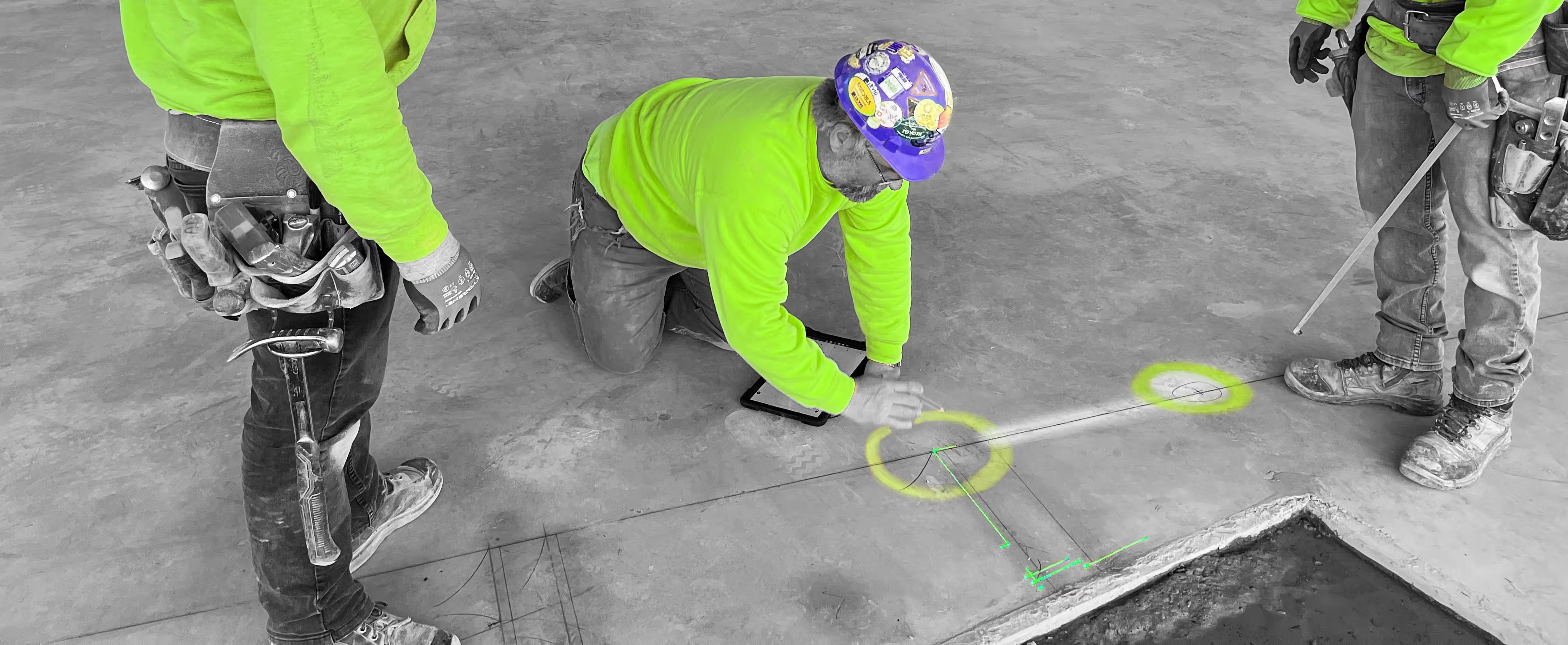
LightYX's Beamer One introduces advanced BIM-to-field layout automation, helping General Contractors improve construction accuracy, coordination, and on-site efficiency. Unlike traditional manual layout methods that rely on tape measures, chalk lines, or printed drawings, Beamer One projects coordinated BIM models, MEP layouts, and drywall framing geometry directly onto the jobsite at full scale. This digital construction workflow reduces interpretation errors, improves communication between VDC teams and field crews, and accelerates project startup by enabling multiple trades to align from the same source of truth. By bringing BIM layout projection directly into real-world installation, LightYX helps streamline field execution, minimize rework, and maintain schedule momentum across complex construction projects.
MULTI TRADE LAYOUT
Reduce rework & Construction risk
- Build directly from the coordinated BIM model with up to 1/16” layout accuracy, ensuring drywall, MEP, and framing installations stay aligned with design intent.
- Detect potential multi-trade clashes and coordination issues early by visualizing layouts directly on the jobsite before installation begins.
Accelerate Multi-Trade Workflows
- Enable true multi-trade BIM layout — project walls, MEP systems, penetrations, and equipment locations in a single setup.
- Achieve up to 10X faster construction layout compared to traditional manual methods.Crews can mark, frame, or install directly on top of the laser-projected field layout, reducing downtime between trades.
LEAD CONSTRUCTION LAYOUT — WITHOUT REPLACING TRADE EXPERTISE
With LightYX Beamer One, General Contractors can take ownership of the BIM-to-field handoff while preserving each trade’s scope and accountability. Instead of replacing trade expertise, LightYX enables GCs to lead multi-trade digital layout by projecting coordinated BIM and VDC models directly onto the jobsite — helping every team build from the same source of truth.
When construction layout remains isolated by trade, coordination gaps often create schedule delays, RFIs, and rework. By introducing multi-trade laser layout projection, General Contractors improve alignment between VDC coordination and field execution while allowing trade partners to maintain control over installation decisions.
Defined Layout Scope: Control which BIM layers, trades, and installation zones are projected as part of the GC workflow.
Preserved Trade Accountability: Trade partners review and approve their coordinated files and layout data before projection day.
Cleaner Installations & Reduced Risk: Visualize coordinated systems early to minimize clashes, improve sequencing, and support faster construction schedules.
HOW IT WORKS — FROM BIM MODEL TO FIELD LAYOUT
1. Import the Coordinated BIM Model
LightYX connects to your VDC and BIM coordination workflow, allowing teams to import coordinated models, layout layers, and trade systems directly from the digital plan. General Contractors can define scope by trade, floor, or installation phase — ensuring only approved information reaches the field.
2. Align Design With Real-World Conditions
The Beamer One is positioned on site and aligned to project control points or known references. This step bridges the gap between digital design and physical construction, enabling accurate BIM-to-field projection across floors, ceilings, and walls.
3. Project Multi-Trade Layout at Full Scale
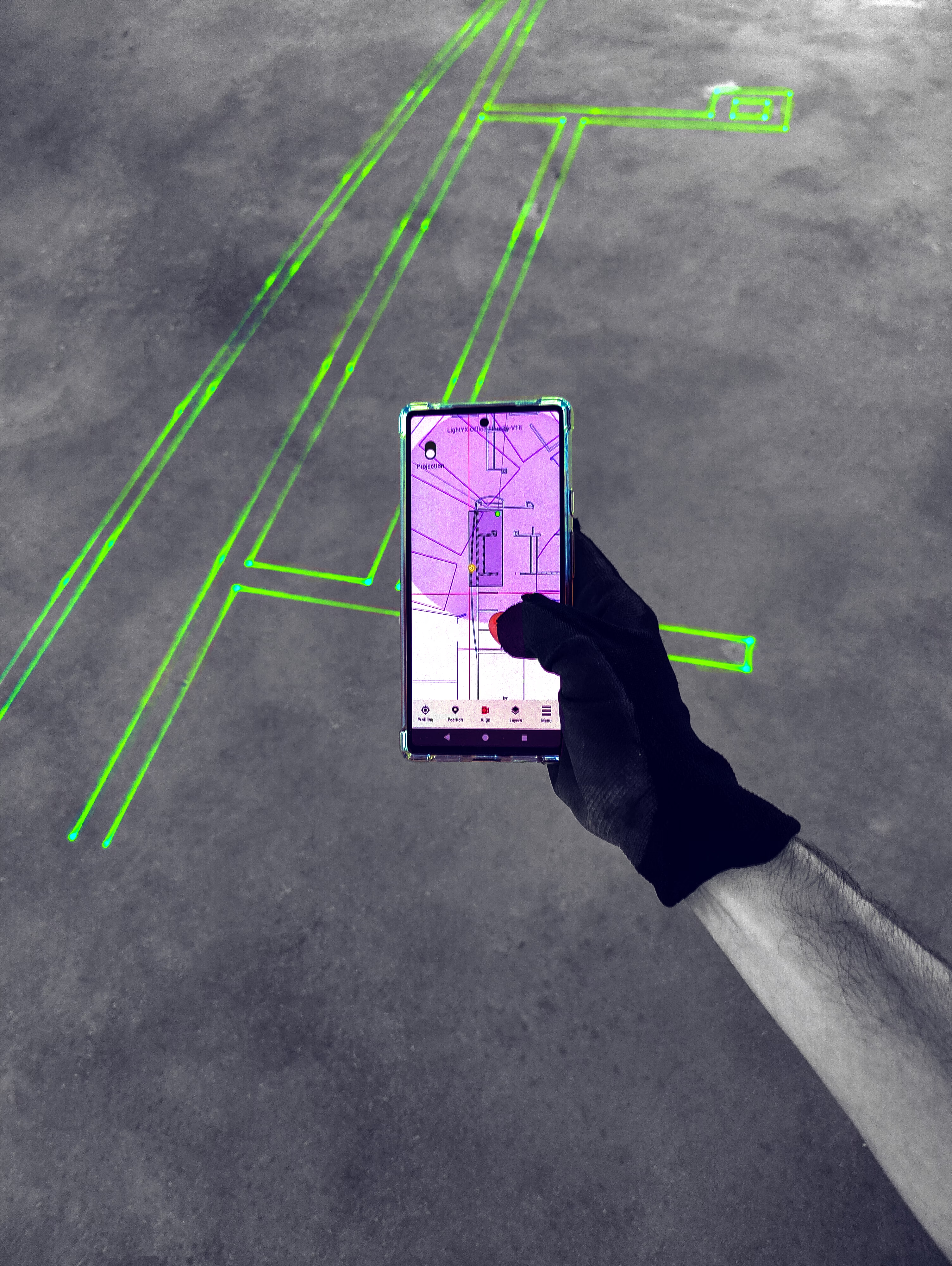
Walls, MEP systems, penetrations, equipment locations, and installation points are projected directly onto the jobsite with high precision. Instead of reading drawings or measuring manually, crews visualize the coordinated layout exactly where they need to build.
4. Build, Verify, and Move Faster
Trades can mark, frame, or install directly on top of the laser-projected layout, improving productivity and reducing rework. General Contractors gain better visibility into installation progress, stronger trade coordination, and a faster path from model approval to execution.

BOOST LAYOUT EFFICIENCY
Build Faster With BIM-to-Field Layout
Traditional manual construction layout consumes valuable time early in the schedule and introduces risk when trades rely on measurements, chalk lines, or paper drawings. With LightYX Beamer One, General Contractors can transform layout into a faster, more predictable digital workflow that keeps projects moving forward.
With LightYX you can:
- Reduce layout time and rework by up to 80% by projecting coordinated BIM data directly onto the jobsite.
- Address the reality that manual layout can represent ~10% of the construction schedule and about 5% of project cost, impacting overall productivity.
- Minimize costly mistakes — studies show layout errors and rework can contribute to up to 9% of total construction costs (HP research).
By replacing manual measuring with laser-projected BIM layout, LightYX helps General Contractors accelerate project startup, improve multi-trade coordination, and maintain schedule momentum while reducing field risk.
General Contractor? Speed Up Layout
CONTACT US





FAQ
How can general contractors reduce rework and improve layout speed across multiple trades?

General contractors can use LightYX to project coordinated BIM layouts for drywall, MEP, framing, penetrations, and equipment locations directly on site. This speeds up multi-trade layout while reducing rework caused by manual measurements, trade conflicts, and misinterpretation of drawings.
Why should a general contractor lead BIM-to-field layout instead of leaving layout only to each trade?
When each trade lays out separately, coordination gaps can create delays, RFIs, clashes, and rework. LightYX allows the GC to lead a shared BIM-to-field workflow while still keeping trade partners accountable for reviewing and approving their own layout data.
How does LightYX improve coordination between VDC teams, superintendents, and subcontractors?
LightYX turns coordinated BIM data into visible field layout, giving VDC teams, superintendents, and subcontractors the same source of truth on the jobsite. This improves communication because crews can see the coordinated design at full scale before installation begins.
What construction projects benefit most from multi-trade laser layout?
LightYX is especially valuable on complex commercial projects such as hospitals, data centers, airports, multifamily buildings, tenant improvements, and MEP-intensive projects where many trades must install accurately in the same space.
How does LightYX help general contractors keep projects on schedule?
LightYX helps projects move faster by reducing manual layout time, accelerating project startup, improving trade sequencing, and catching coordination issues before installation. Faster layout and fewer field mistakes help protect the construction schedule.

